Included in C⁴ Free and Pro. This is a last-slide guard, not a loop or a replacement for the vision switch.
Hold the deck while you make the switch
A presenter reaching the final slide doesn’t always mean your next source is ready. Another press on a keyboard-style remote can take the deck beyond its ending while you’re still showing that PC.
With Freeze last slide enabled, the final slide’s builds still play. After its final build, supported forward keyboard and clicker inputs are blocked. The closing slide stays available while you switch away. It does not freeze all presentation controls: backward navigation remains available, and Esc still exits.
Enable it for the correct PowerPoint source
- Connect the presentation PC. Install the current C⁴ PowerPoint add-in and confirm that its slide changes reach the clock.
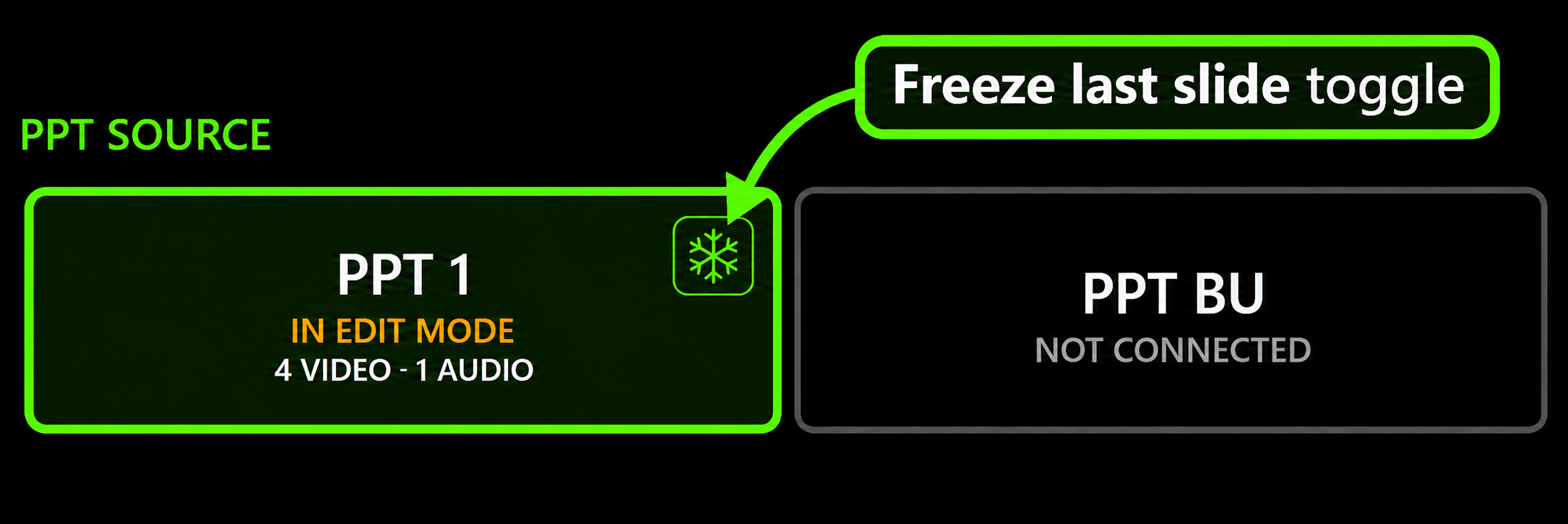
- Click the snowflake on that connected source’s tile in C⁴. The same control is available in the add-in’s PowerPoint ribbon.
- Wait for confirmation. Green means the add-in confirmed protection. Amber means it is waiting; grey means off or unavailable. Clicking the snowflake does not select another source.
- Rehearse the ending. Run the final slide and all its builds, then press forward again using the actual presenter remote. Check the result on the show output.
Check it again when PowerPoint restarts
Protection starts off when PowerPoint opens. Confirm its state on the show PC before the session; you can toggle it from C⁴ mid-show. It does not save the deck or change its loop setting.
Know which inputs are covered
Supported forward keys include Right, Down, Page Down, Space, Enter and N in the full-screen slideshow and supported English PowerPoint Presenter View. A remote must send supported keyboard-style inputs. Mouse clicks, automatic timed advances, custom shows and multiple simultaneous slideshows are not protected.
That is why checking saved automatic slide timings matters too. A deck with timed advance needs a separate review; last-slide protection is not an automatic-timings override.
Detailed Freeze last slide setup and compatibility →
More operator workflows
Try it with your next presentation
Download C⁴ Clock Free for Windows. Start the optional 30-day Pro trial when you are ready to explore the additional tools.